Roblox Creator Tools / Object Morph Tool
MorphBlaster for
Roblox creators.
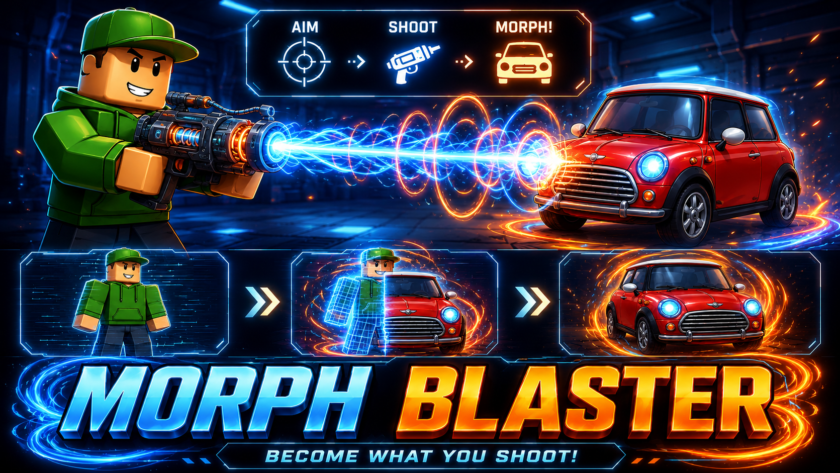
Add an object transformation blaster to your Roblox experience. MorphBlaster lets players
shoot a target object and transform into its shape on the spot. With visible laser feedback,
MeshPart and SpecialMesh support, and multiple revert options, it creates a fun ability
for roleplay, mini-games, stealth moments, or surprise gameplay.
View on Creator Store →
Read Details
What is MorphBlaster?
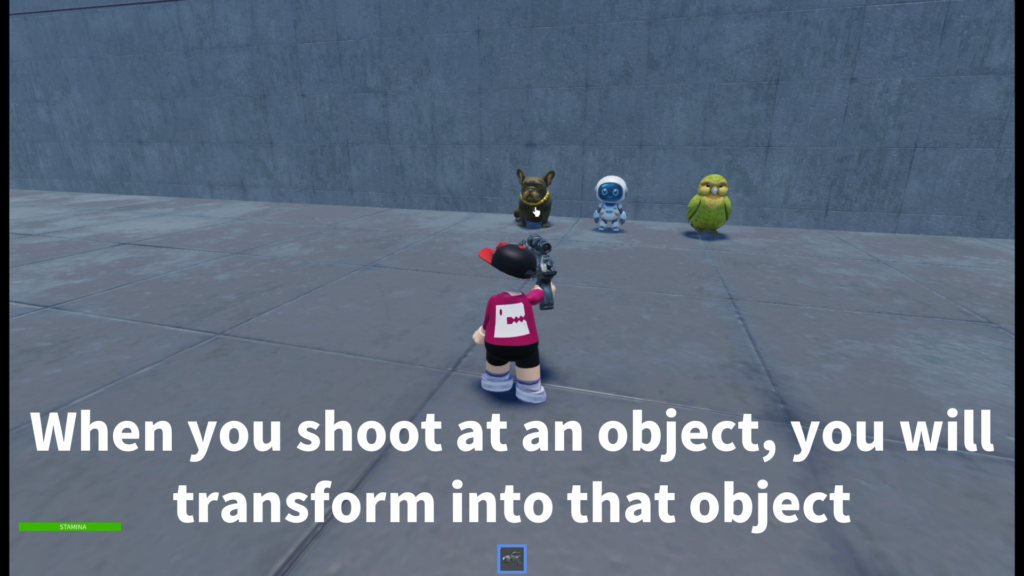
MorphBlaster is a Roblox Tool that lets players transform into a target object by shooting it.
When the player fires the blaster, the system checks the target from the camera direction,
then morphs the player into the object if it is a valid morph target.
This is not just a simple costume change. It is a gameplay tool that can turn objects
in your world into transformation targets, making it useful for playful abilities,
hiding mechanics, roleplay moments, and creative map gimmicks.
Main Features
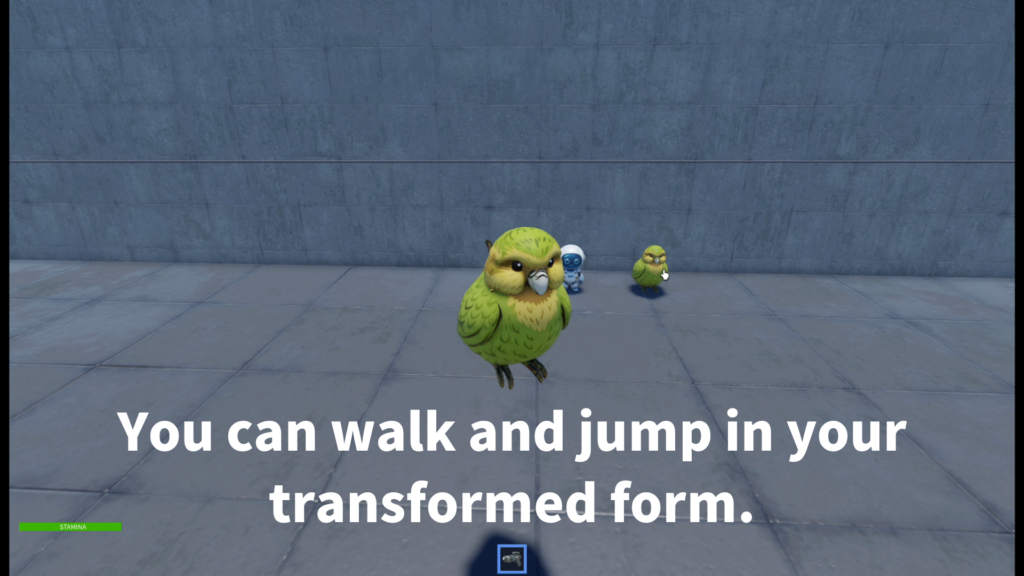
Players aim the blaster at a valid target object and transform into that object’s shape.
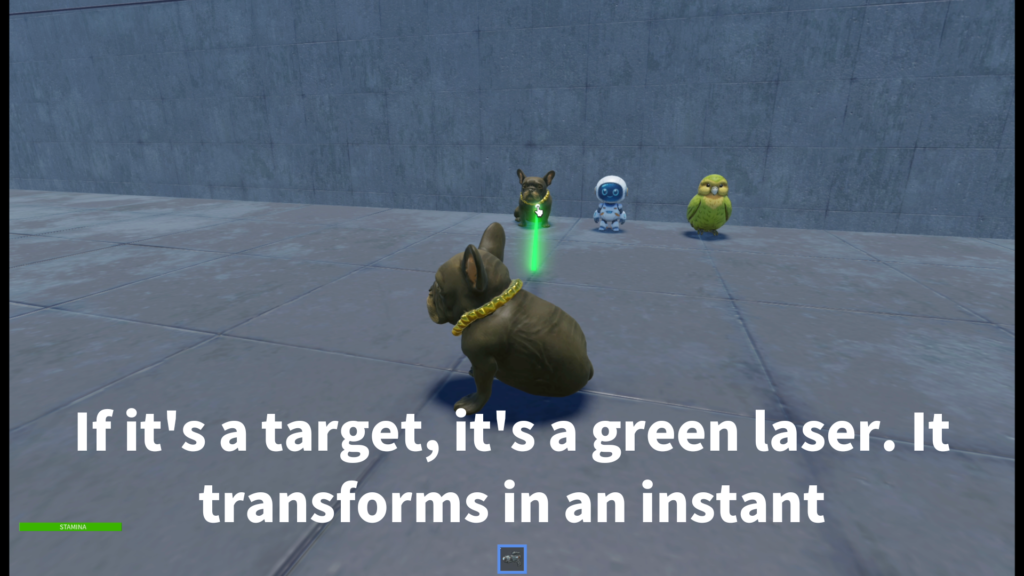
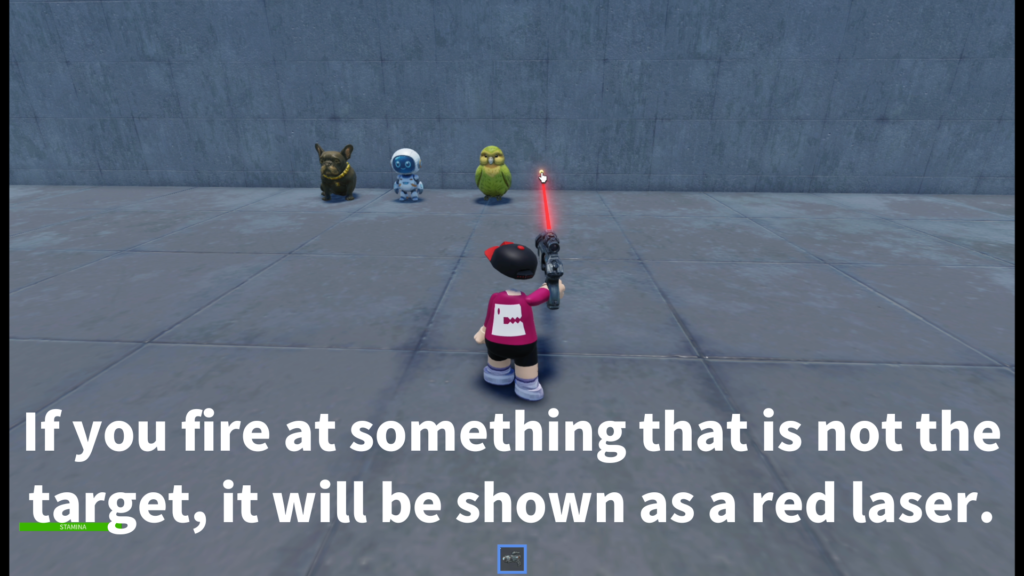
The tracer color helps players understand the result quickly: red for missed or invalid targets,
green for successful morph targets.
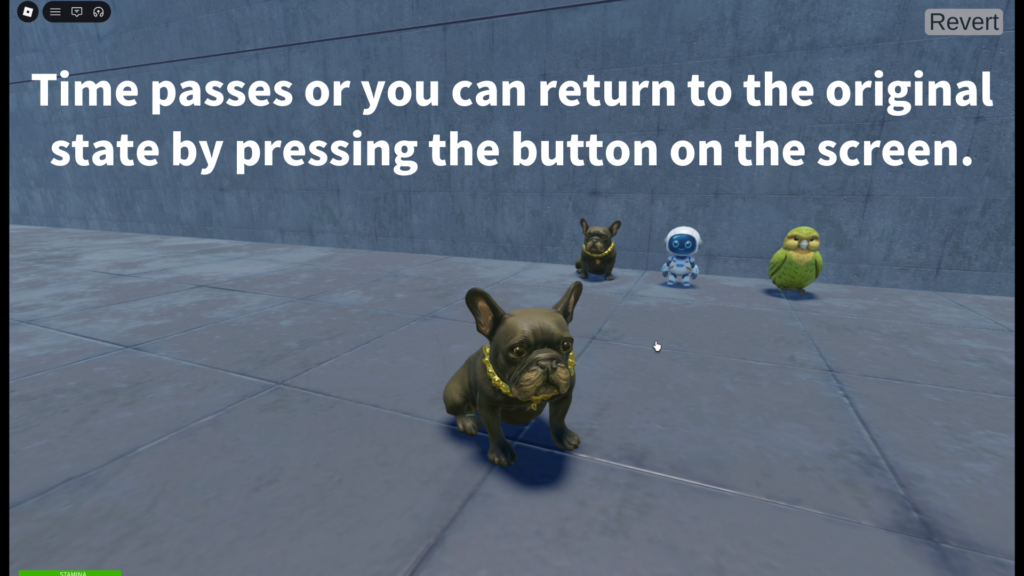
Players can return to normal through the Revert button, F key, unequip behavior,
death, or an optional timer.
- Object transformation blaster
- Camera-based aiming feel
- Red / green laser tracer feedback
- MeshPart target support
- Part + SpecialMesh target support
- Revert GUI button
- Optional timed morph duration
- Optional revert on unequip
How Targets Are Managed
MorphBlaster is designed to be easy to manage. In the simplest setup,
creators place morphable target objects inside a Workspace folder named Metamorphose.
Objects inside this folder can be used as transformation targets.
Workspace > Metamorphose > your morph target objects
This makes it easier to prepare a group of objects that players can transform into
without relying on strict object names for every target.
Supported Target Types
MorphBlaster supports common object styles used in Roblox maps.
It can work with MeshPart targets and with Parts that use a child SpecialMesh.
- MeshPart
Useful for custom object shapes and detailed target visuals. - Part + SpecialMesh
Useful for classic Roblox mesh-style objects. - CanQuery recommended
Targets should generally keep CanQuery enabled for reliable aiming. - Visible target parts
Fully transparent visual parts are treated more safely as non-targets.
Revert Options
The tool includes several ways for players to return to normal after transforming.
This helps creators choose the style that fits their game.
- Revert button for PC and mobile players
- F key revert support
- Revert when the tool is unequipped
- Revert when the player dies
- Optional timer-based automatic revert
- Configurable morph duration
Customizable Settings
Creators can tune the tool behavior from the main settings.
This makes it easier to adjust the blaster for roleplay, mini-games,
stealth systems, or short transformation abilities.
- USE_MORPH_TIMER
Choose whether morphs automatically end after a timer. - MORPH_DURATION
Set how long the player stays transformed. - MAX_DISTANCE
Control the blaster’s targeting range. - COOLDOWN
Control how quickly the player can shoot again. - AIM_BLOCK_SIZE
Adjust how forgiving the aiming feels. - REVERT_ON_UNEQUIP
Choose whether removing the tool also reverts the player.
Optional Marked Target Mode
For more controlled setups, creators can use a marked target style.
When ONLY_MARKED_TARGETS is enabled, only objects with a MorphTarget attribute
set to true are treated as valid morph targets.
Add a Bool Attribute named MorphTarget to the visual target part, then set it to true.
Sound Support
MorphBlaster can use sounds inside the Handle for firing, morphing, and reverting.
If a morph or revert sound is not prepared, the firing sound can be used as a fallback.
- Fire
Sound when the blaster is fired. - MorphSound
Sound when transformation succeeds. - RevertSound
Sound when the player returns to normal. - Fallback behavior
Fire sound can be reused if extra sounds are not prepared.
Best Use Cases
MorphBlaster is a good fit for Roblox experiences where transformation,
surprise, hiding, or object-based abilities can make gameplay more interesting.
- Roleplay games
- Stealth mini-games
- Prop-hunt style ideas
- Magic or sci-fi ability games
- Adventure maps
- Funny party games
- Transformation challenge rooms
- Lobby attractions and toy-like tools
Why Creators May Like It
MorphBlaster is designed to create a clear and satisfying player moment:
aim, shoot, see the tracer, and transform into the target object.
The red and green laser feedback makes success easy to understand immediately.
The target folder setup also helps creators manage morphable objects more easily.
Instead of building a full transformation system from zero, creators can prepare objects,
place them in the Metamorphose folder, and use them as transformation targets.
Add object transformation to your Roblox game.
MorphBlaster is available on the Roblox Creator Store.
Use it to let players shoot target objects and transform into them with clear laser feedback,
revert options, sound support, and flexible target setup.