Roblox Creator Tools / Paint Gun System
SplashBlaster for
Roblox creators.
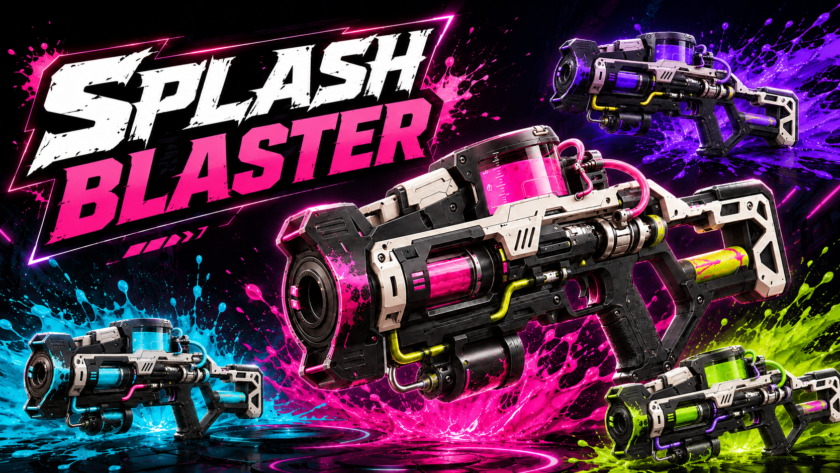
Add a colorful paint gun system to your Roblox experience. SplashBlaster lets players
fire paint shots, create paint splat visuals, use ammo and reload behavior, and bring
a fun paint-blaster feeling to arenas, mini-games, team games, and playful action maps.
View on Creator Store →
Read Details
What is SplashBlaster?
SplashBlaster is a Roblox paint gun Tool designed for games that need colorful,
easy-to-understand paint action. Players can shoot paint, see clear paint splat feedback,
and enjoy a weapon-like tool that feels playful instead of only combat-focused.
It is a good fit for creators who want a fun visual feature for team arenas,
paint battles, mini-games, lobby toys, or game modes where covering the map with color
makes the experience more exciting.
Main Features
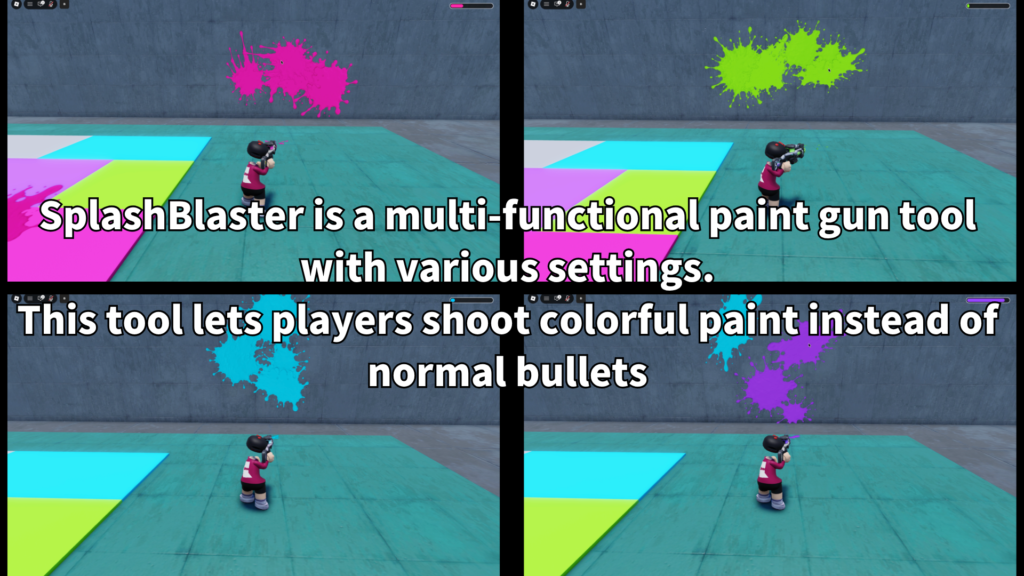
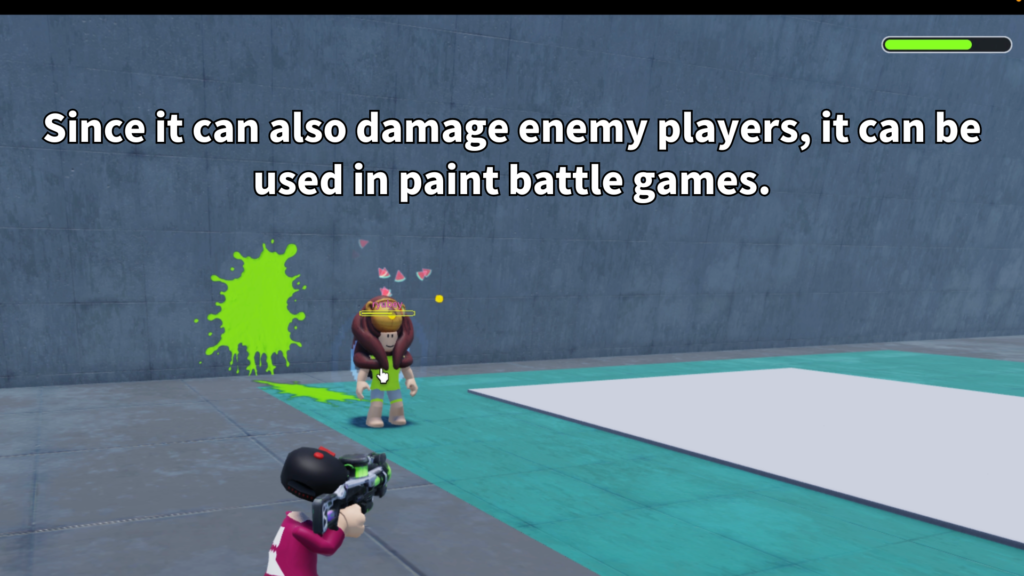
Players can fire paint shots and create visible splat effects on the world.
A screen paint effect can help players instantly feel when paint action affects them.
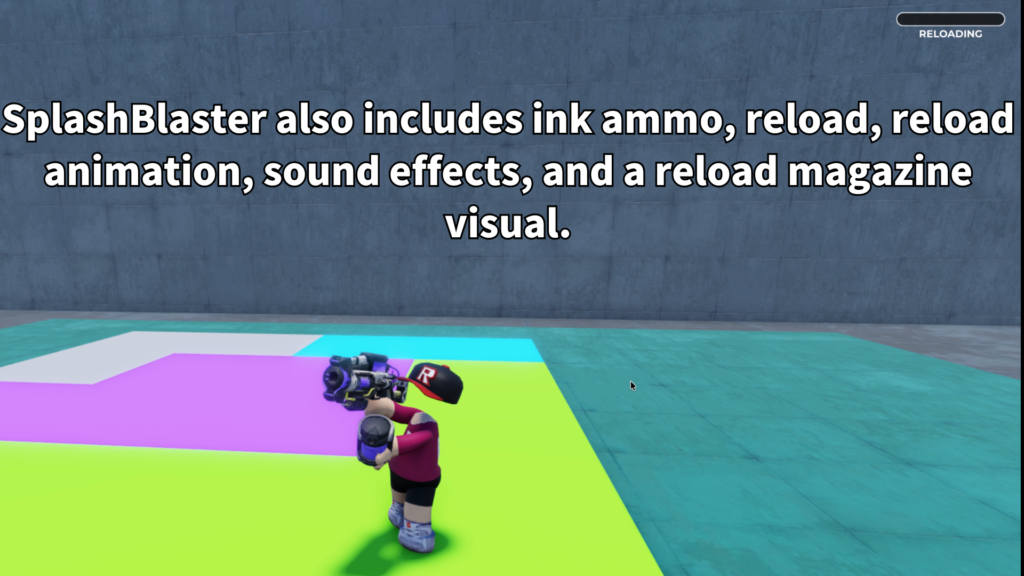
The tool includes ink-style ammo behavior and reload flow for a more complete weapon feel.
- Paint gun Tool for Roblox
- Colorful paint splat visuals
- Screen paint effect support
- Ink ammo display
- Reload behavior
- Reload magazine visual support
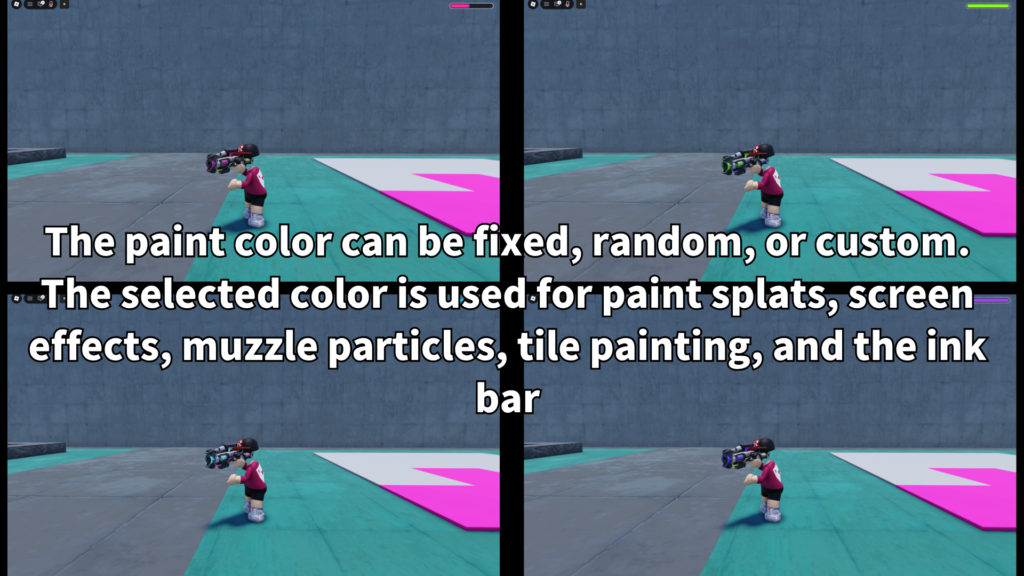
- Fixed, random, or custom paint colors
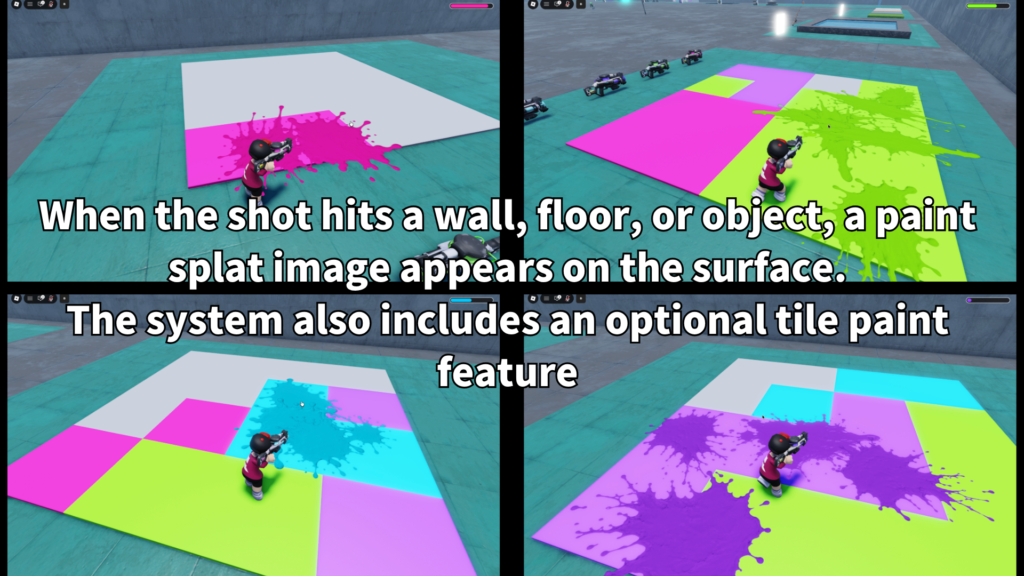
- Optional tile color painting
Paint Splat Gameplay
SplashBlaster is designed around visible paint feedback.
Instead of only firing an invisible hit, players can see paint splats appear,
making the tool more satisfying and easier to understand during fast gameplay.
This makes it useful for paint battle maps, colorful team games, target practice,
casual party games, or any experience where the map should become more lively
as players keep shooting.
Screen Paint Effect
A strong paint tool should not only affect the world. It should also feel clear to the player.
SplashBlaster can use a screen paint effect so players get visual feedback during paint action.
This helps create a more memorable experience, especially in mini-games where being hit
by paint should feel different from normal damage or simple projectile contact.
Color Options
SplashBlaster can be adjusted for different paint styles.
Creators can use a fixed color, random paint colors, or custom color setups depending
on the type of game they are building.
- Fixed color
Good for a single team, single weapon, or simple paint style. - Random colors
Good for party maps, toy-like tools, and colorful arenas. - Custom colors
Good when each weapon or game mode needs its own look. - Team-style colors
Useful for games where color identity matters.
Optional Tile Painting
SplashBlaster can also support optional tile color painting.
This is useful when you want the paint gun to do more than create temporary splat visuals.
With tile painting, creators can build simple territory-style ideas,
color capture maps, paint-based goals, or small arena mechanics where painted areas
become part of the gameplay.
Optional tile painting can help turn paint action into a clearer objective,
such as covering areas, marking zones, or creating color-based mini-game rules.
Ammo and Reload Feel
The tool includes ammo and reload behavior so SplashBlaster feels more complete
than a simple effect-only item. Players can shoot, watch their ammo state,
and reload when needed.
- Ink-style ammo
Useful for paint gun gameplay. - Reload behavior
Adds pacing and prevents endless shooting. - Reload visual support
Helps make the reload moment easier to understand. - Mobile reload support
Useful for games that support phone and tablet players.
Customizable Settings
Creators can adjust SplashBlaster to fit their own game style.
The main settings focus on paint behavior, color style, ammo, reload, and optional painting rules.
- Paint color mode
Choose fixed, random, or custom color behavior. - Ammo amount
Adjust how many shots players can fire before reload. - Reload time
Control how long reloading takes. - Shot interval
Adjust how quickly players can fire paint. - Paint splat visuals
Tune the look and feel of paint feedback. - Screen paint effect
Adjust the player feedback effect. - Tile painting
Enable or tune paint-based map interaction. - Sounds
Replace firing and reload sounds to match your game.
Best Use Cases
SplashBlaster is a good fit for Roblox games that need colorful action,
playful shooting, or paint-based visual feedback.
- Paint battle arenas
- Team color games
- Mini-game maps
- Party game tools
- Lobby toy weapons
- Target practice stages
- Color capture games
- Paint-based challenge rooms
Why Creators May Like It
SplashBlaster is easy to show in screenshots and short videos because the main effect
is visual. Players shoot, paint appears, the screen can react, and the arena becomes
more colorful as the game continues.
It also gives creators a flexible base for different types of paint gameplay.
You can use it as a simple fun tool, a team weapon, a mini-game mechanic,
or a starting point for a larger paint-based system.
Add a colorful paint blaster to your Roblox game.
SplashBlaster is available on the Roblox Creator Store.
Use it to add paint splats, screen paint feedback, ammo and reload behavior,
color modes, and optional tile painting to your Roblox experience.