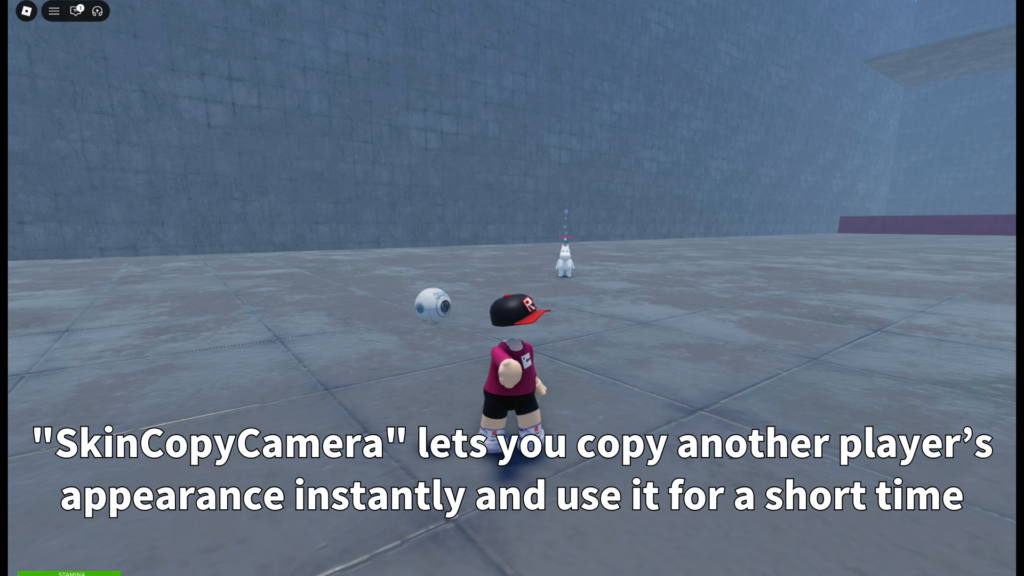
Roblox Creator Tools / Appearance Copy Tool
SkinCopyCamera for
Roblox creators.
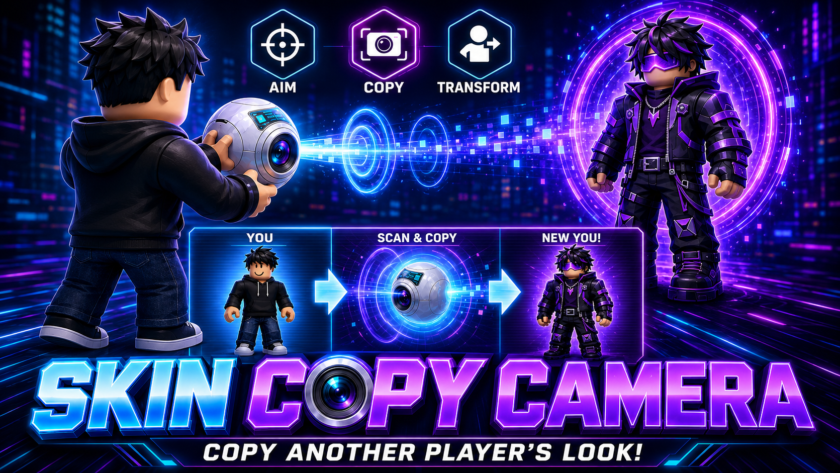
Add a temporary appearance copy tool to your Roblox experience. SkinCopyCamera lets players
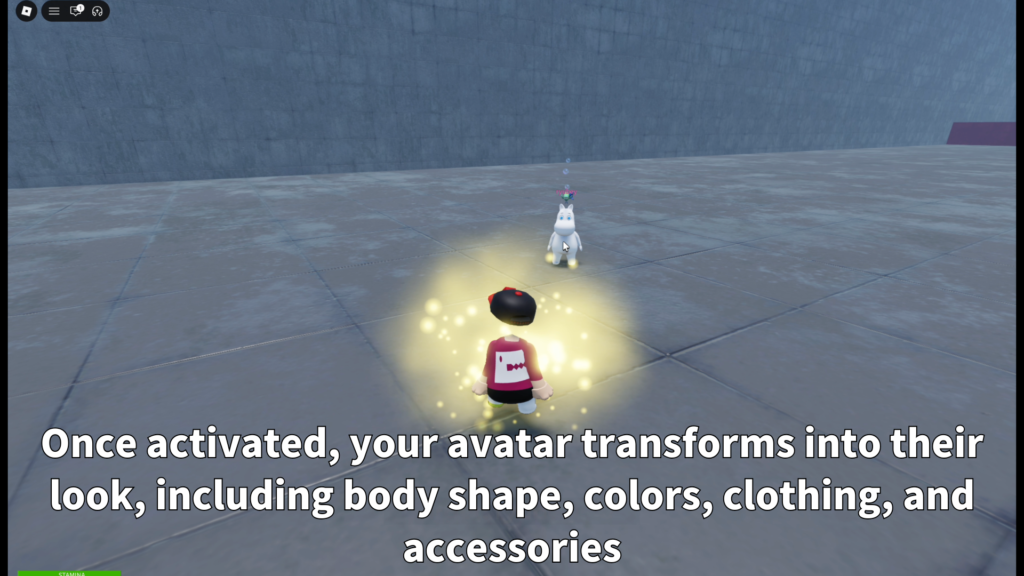
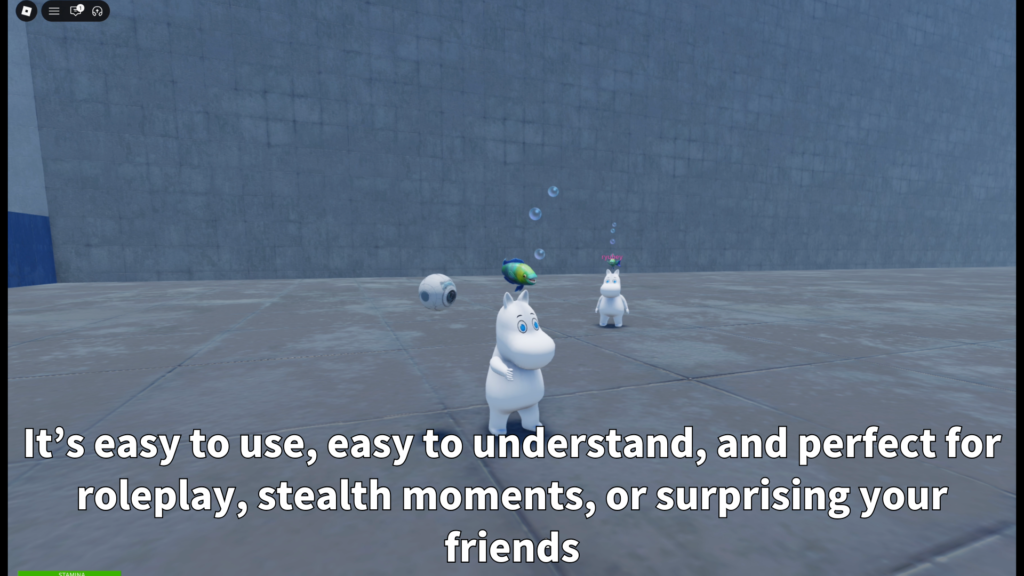
select another character on screen and briefly transform into that character’s look,
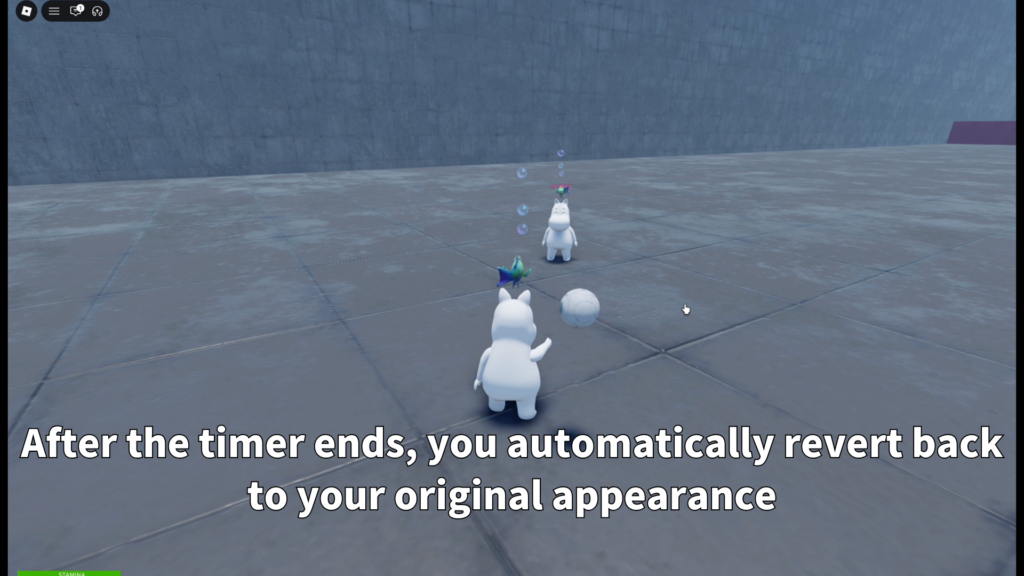
including body shape, colors, clothing, and accessories. After the timer ends,
the player automatically returns to their original appearance.
View on Creator Store →
Read Details
What is SkinCopyCamera?
SkinCopyCamera is a Roblox Tool that lets players temporarily copy another character’s appearance.
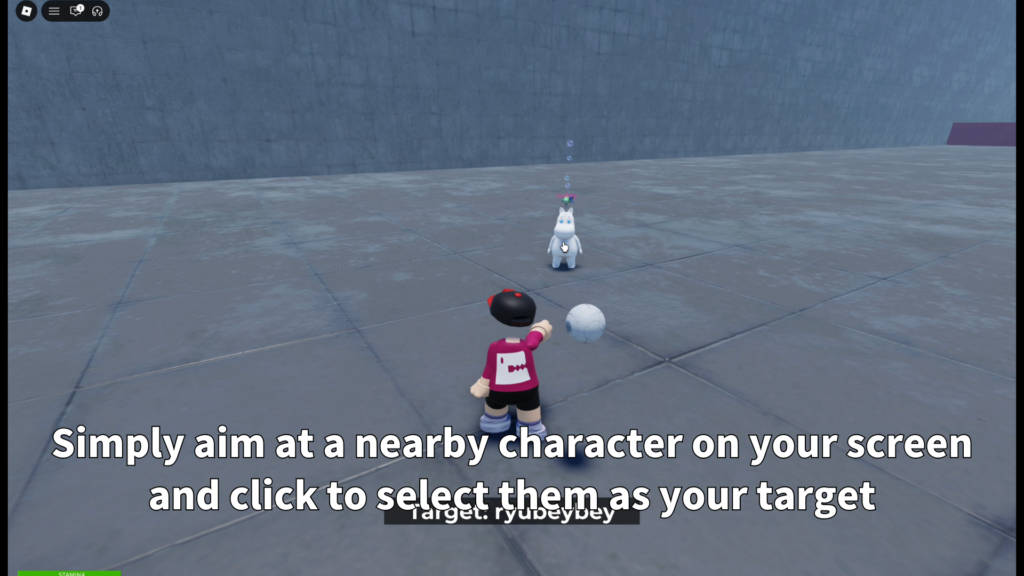
The player aims at a character on screen, clicks to select the target, and transforms into
that look for a limited time.
It is designed for roleplay moments, event maps, social games, party-style experiences,
and transformation gameplay where a temporary appearance shift makes the game more fun.
Main Features
Players can aim at another character on screen and click to activate the temporary appearance copy.
The system can copy body shape, body colors, clothing, face, and accessories for a clear transformation.
After the set duration, the player automatically returns to their original appearance.
- Temporary player appearance copy
- Camera-based target selection
- Body parts and scale support
- Clothing and face support
- Accessory support
- Body color support
- Auto revert after set time
- Optional sound and VFX
What Gets Copied?
SkinCopyCamera focuses on the target character’s visible avatar appearance.
This helps create a clear and easy-to-understand transformation moment.
- Body shape
Body parts and scale values can be included. - Clothing
Shirt, Pants, ShirtGraphic, and Face can be copied. - Accessories
Hat, hair, back, waist, and other accessories can be included. - Body colors
The target character’s body colors can be applied.
Movement animations such as walk, run, and idle are not copied. The player keeps their own animation behavior.
Clear Target UI
When the tool is equipped, the player can see helpful feedback while aiming.
If the mouse is over a valid character, a simple target label appears near the center of the screen.
- Target label
Shows “Target: PlayerName” while hovering over a valid character. - Not a character
Shows a short message when clicking something that is not a character. - Cooldown display
Shows remaining cooldown time when the tool is not ready. - Fade-style feedback
Messages appear briefly and then disappear cleanly.
Two Use Modes
Creators can choose how the tool should behave in their game.
It can be used as a one-time item or as a reusable tool with cooldown.
After a successful transformation, the tool can be removed from the player’s inventory.
The automatic return process still continues safely on the server.
The player keeps the tool and can use it again after the cooldown ends.
Cooldown feedback is shown when the player tries to use it too early.
The tool can limit valid targets by distance, such as within 300 studs.
Customizable Settings
SkinCopyCamera includes settings that creators can tune for their own game style.
This makes it easier to use the tool for events, roleplay, mini-games, or special ability systems.
- RANGE
Controls how far away a valid target can be. - AUTO_REVERT_SECONDS
Controls how long the transformation lasts. - ONE_TIME_MODE
Switches between one-time use and reusable behavior. - COOLDOWN_SECONDS
Controls the delay before reuse in cooldown mode. - REEQUIP_AFTER_SHIFT
Controls tool return behavior after transformation. - Sound settings
Shift and revert sounds can be customized.
Sound and VFX Support
Creators can add optional sounds and particle effects for the transformation and return moments.
This helps make the appearance shift feel more like a complete ability.
- Shift sound
Plays when the player transforms. - Revert sound
Plays when the player returns to normal. - Shift VFX
Optional particles can play when transformation starts. - Revert VFX
Optional particles can play when the player returns.
Tool > VFX > Shift and Tool > VFX > Revert can contain ParticleEmitters.
The effect is attached around UpperTorso when available, or Torso as a fallback.
Best Use Cases
SkinCopyCamera is a good fit for games where a temporary appearance change can make the experience
more playful, social, or surprising.
- Roleplay games
- Party-style games
- Social hangout maps
- Event worlds
- Photo spots and celebration areas
- Temporary transformation abilities
- Hide-and-seek style game ideas
- Special mini-game items
Recommended Setup
The basic setup is simple: place the Tool in StarterPack, or give it to players through your own
item distribution system. The package uses server-side transformation handling and a LocalScript
for target UI, denied messages, and click input.
Optional sounds and VFX can be replaced by the creator, making it easier to match the tool
with the style of each game.
Usage Note
This tool is best presented as a temporary appearance copy feature for roleplay, events,
social play, and transformation gameplay. For public descriptions, it is better to avoid
wording that sounds like identity theft or impersonation, and instead focus on temporary
appearance shifting inside a Roblox game.
Add temporary appearance transformation to your Roblox game.
SkinCopyCamera is available on the Roblox Creator Store.
Use it to let players select another character on screen, briefly transform into their look,
and automatically return to normal after the set duration.