Roblox Creator Tools / Coin Reward System
Advanced Coin Drop System
for Roblox creators.
Add a more satisfying coin reward system to your Roblox experience.
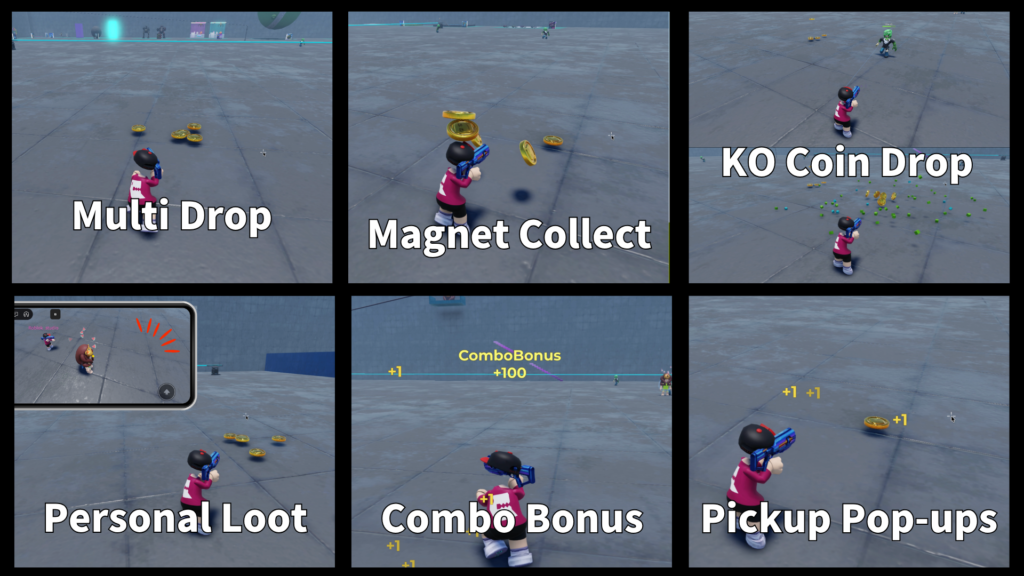
Advanced Coin Drop System lets coins drop into the world, bounce onto the ground,
attract toward players with a magnet-style collect effect, play sounds, show pickup feedback,
and support reward drops from NPCs or player defeat events.
View on Creator Store →
Read Details
What is Advanced Coin Drop System?
Advanced Coin Drop System is a Roblox reward system for creators who want coins to feel
more exciting than a simple number increase. Coins can appear in the world, spread out,
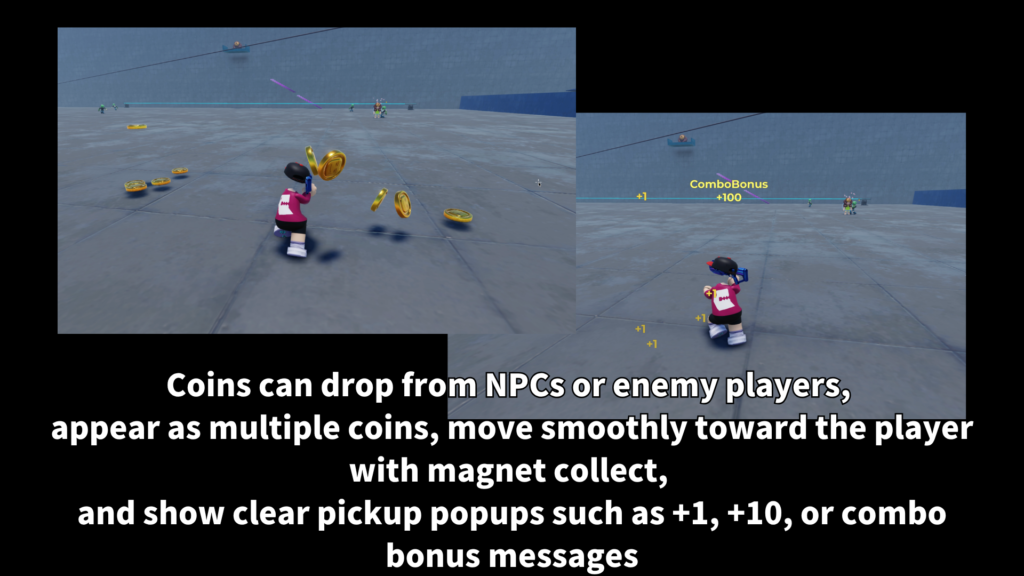
bounce, wait for collection, and then move toward the player with a smooth magnet-style effect.
It is useful for games where players defeat enemies, collect rewards, clear stages,
earn bonus coins, or need a simple currency flow that feels good during gameplay.
Main Features
Coins can spawn above the ground, fall down, bounce, and settle into place
instead of appearing instantly.
Coins can pull toward the player with an arc and spin effect,
making pickup feel more satisfying.
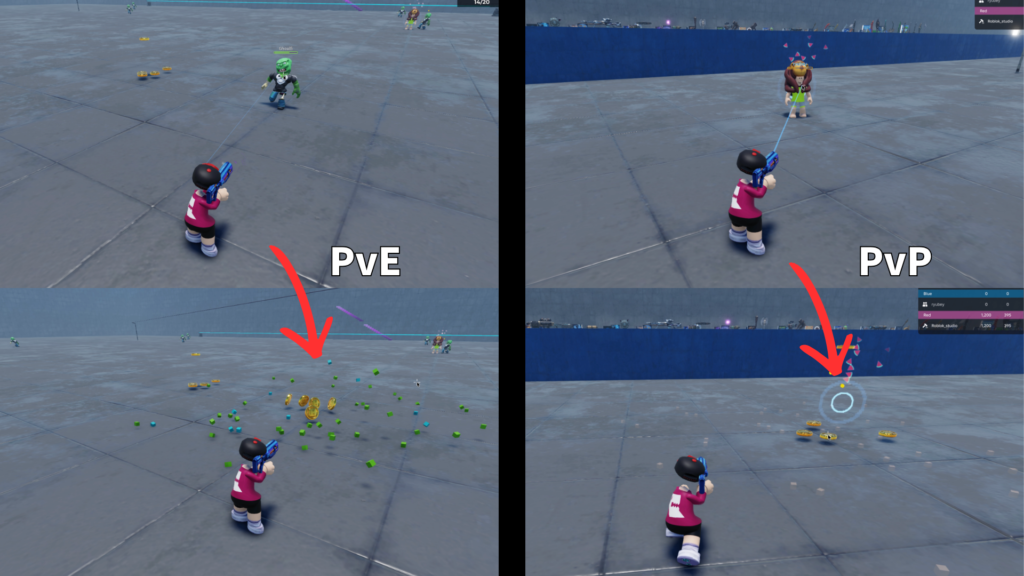
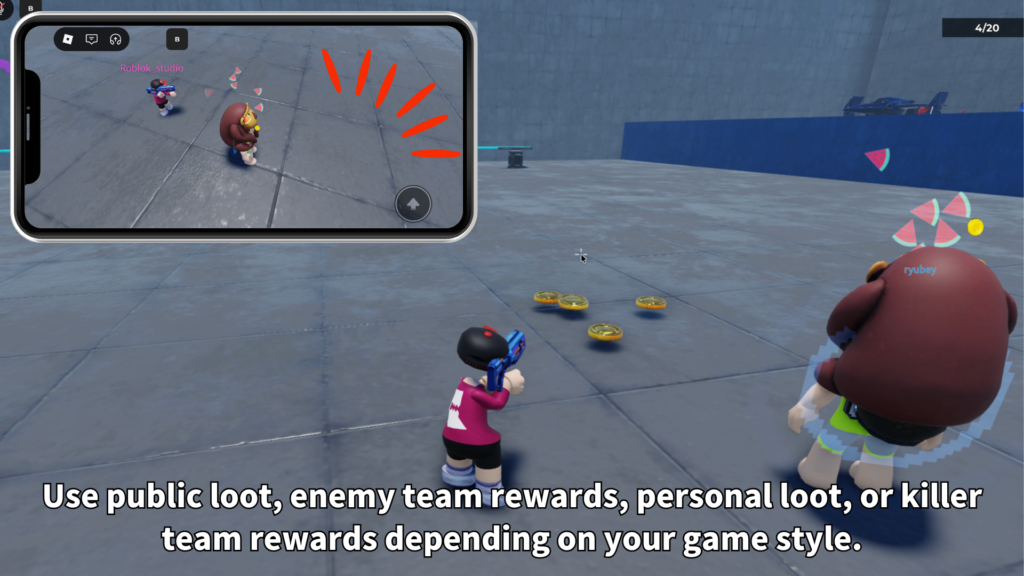
NPCs and players can drop coins when defeated, with options for who can collect them.
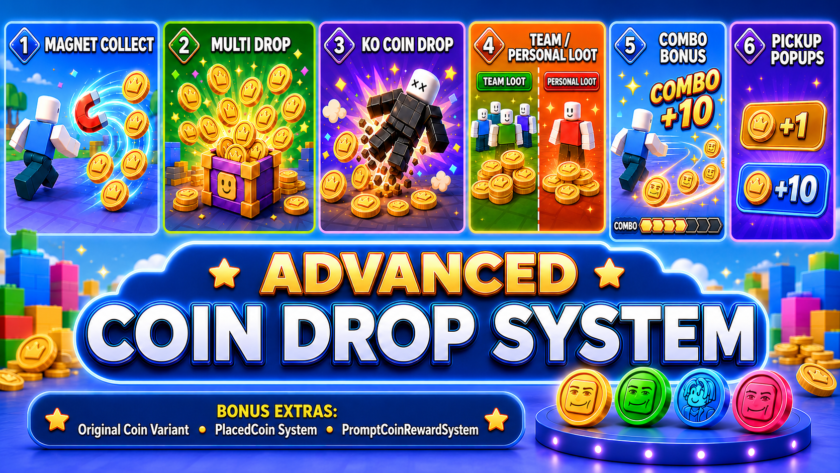
- Coin drop system for Roblox
- Custom coin model support
- Multi-coin drop support
- Drop bounce animation
- Ground raycast placement
- Magnet collection effect
- Pickup feedback display
- Drop and pickup sounds
- Combo bonus reward support
- NPC and player death drop support
Magnet Collect System
The magnet collect system helps make coins feel more alive.
Instead of requiring only direct touch, coins can move toward the player when they are close enough.
This creates a more polished reward feel, especially in action games where players are moving quickly
and collecting many coins after defeating enemies or clearing a group of targets.
- Start distance
Controls when the magnet effect begins. - Arc movement
Coins can move toward the player with a small arc. - Spin speed
Coins can spin while moving toward the player. - Visible collection
The magnet effect can be shown to players for better feedback.
Drop Bounce Animation
Coins can spawn above the target position, fall down, bounce, and settle on the ground.
This makes reward drops feel more physical and more fun to watch.
Ground raycast support helps the system place dropped coins closer to the actual surface,
which is useful for maps with uneven floors, platforms, or enemy positions.
Death Drop System
Advanced Coin Drop System can be used to reward players when NPCs are defeated.
Creators can set default NPC drop count, coin value, spread radius, coin model,
and collection rules.
Player defeat drops can also be enabled when your game design needs it.
This makes the system flexible for PvE, PvP, arena, RPG, and enemy-wave style experiences.
- NPC drops
Drop coins when selected NPCs are defeated. - Player drops
Optional player defeat drop behavior. - Killer-only style
Useful when the reward should go to the defeating player. - Team-based style
Useful when rewards should follow team rules.
For most games, NPC coin drops are the easiest and safest starting point.
Player death drops are best used only when they match your game rules.
Combo Bonus System
The combo bonus system can reward players for collecting enough coins within a short time window.
This makes normal coin collection feel more exciting and gives players a reason to keep moving.
- Required count
Set how many pickups are needed for the bonus. - Time window
Set how quickly the player must collect them. - Bonus value
Set how many bonus coins are given. - Feedback text
Show a simple bonus message when the combo succeeds.
Custom Coin Models and Sounds
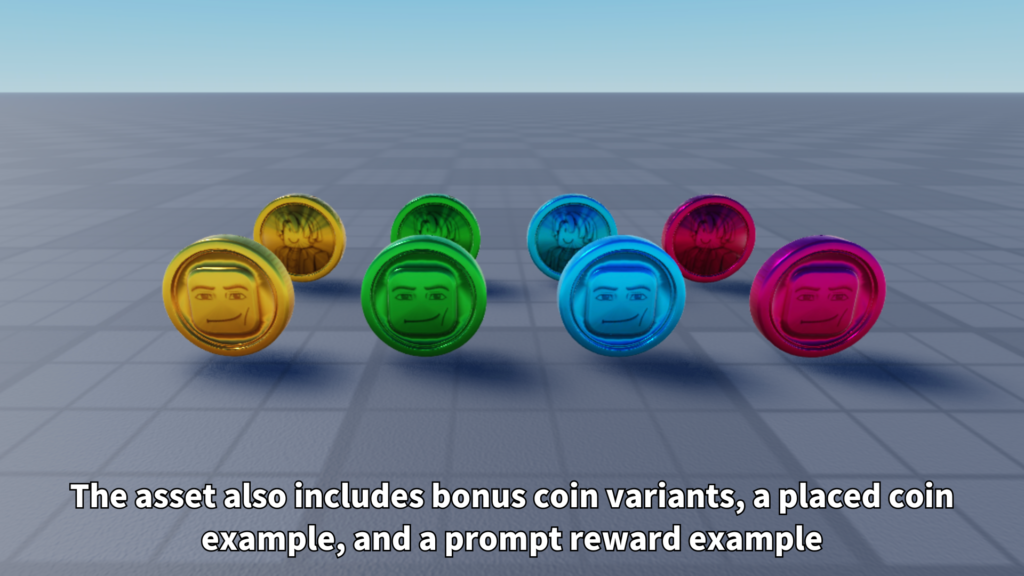
Creators can use their own coin models instead of only using one fixed visual.
This is useful when different games need gold coins, gems, tokens, stars, medals,
or other reward items.
- Coin models
Use custom coin templates from the coin model folder. - Default coin fallback
A simple fallback coin can be used if no template is found. - Drop sound
Play a sound when coins appear. - Pickup sound
Play a sound when coins are collected. - Combo sound
Optional sound for combo bonus moments. - Pickup feedback
Show a small reward message when coins are collected.
Customizable Settings
Important values are organized so creators can adjust the system for their own game.
You can tune coin value, drop count, spread, magnet behavior, sounds, lifetime,
active coin limit, death drop rules, and combo bonus behavior.
- Currency name
Set the currency value name, such as Coins. - Default coin value
Control how much each coin is worth. - Default drop count
Control how many coins drop at once. - Spread radius
Control how far coins spread from the drop point. - Coin lifetime
Control how long dropped coins remain. - Max active coins
Limit how many coins can exist at one time. - Magnet settings
Adjust distance, duration, arc height, and spin speed. - Death drop settings
Adjust NPC and player drop behavior.
Best Use Cases
Advanced Coin Drop System is a good fit for Roblox games where rewards should feel visible,
satisfying, and easy to understand.
- Enemy battle games
- RPG-style games
- NPC wave games
- Adventure maps
- Simulator-style games
- Obby reward systems
- Treasure collection games
- Mini-games with score rewards
Why Creators May Like It
This system turns coin rewards into a visible gameplay moment.
Players can see coins pop out, bounce, pull toward them, play sounds,
and update their currency value.
It is also flexible enough for different reward styles.
You can use it as a simple coin pickup system, an enemy reward system,
a combo bonus feature, or a base for a more advanced in-game economy.
Add satisfying coin rewards to your Roblox game.
Advanced Coin Drop System is available on the Roblox Creator Store.
Use it to add coin drops, magnet collection, bounce animation, sounds,
pickup feedback, combo bonuses, and death drop rewards to your Roblox experience.