Roblox Creator Tools / Tactical Movement System
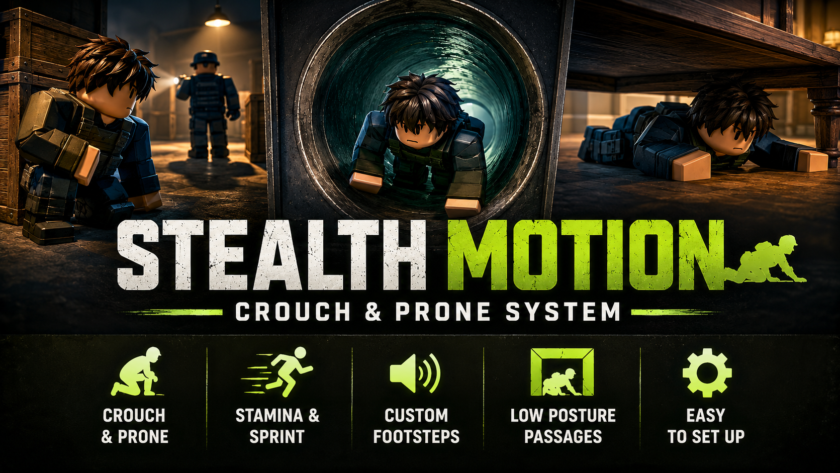
Stealth Motion Crouch & Prone System.
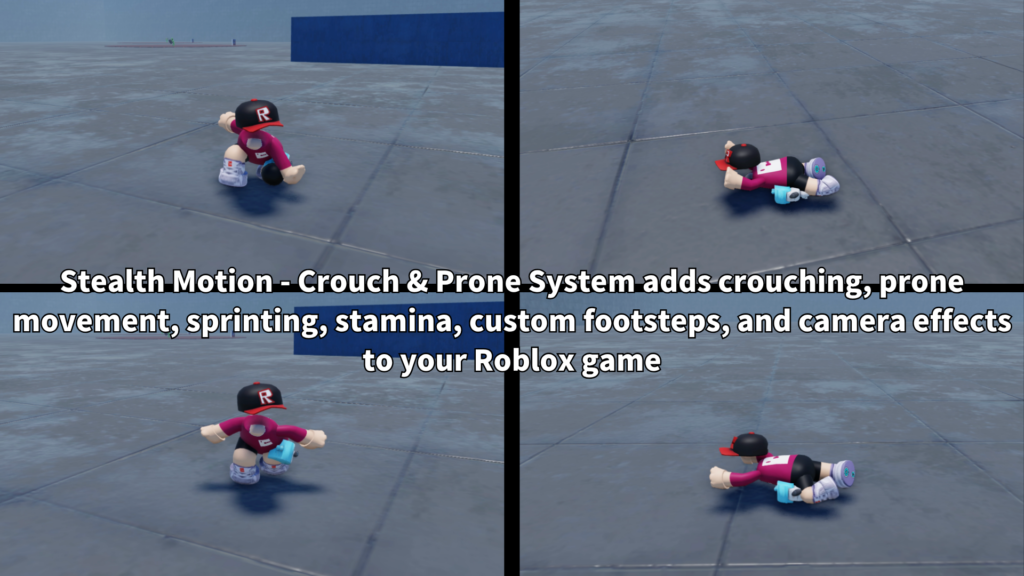
Add crouching, prone movement, sprinting, stamina, custom footsteps, and low-posture passages to your Roblox experience. Stealth Motion gives players more ways to move through vents, pipes, tunnels, hidden routes, vehicles, and other spaces where normal standing movement is not the best choice.
What is Stealth Motion?
Stealth Motion is a tactical movement system for Roblox that expands the normal walking and running controls. Players can crouch, go fully prone, sprint, recover stamina, and move through special passages that require a lower posture.
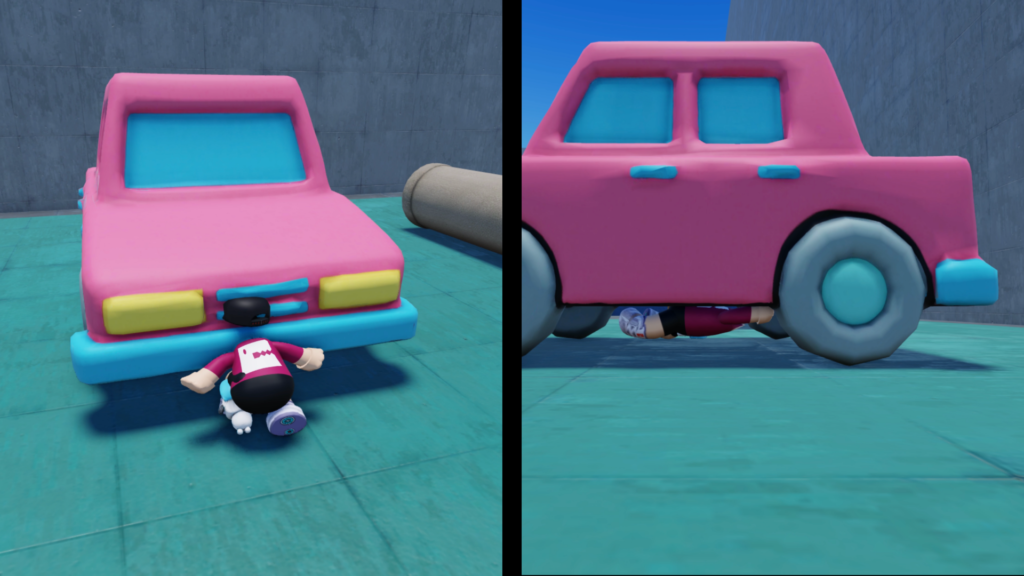
It is designed for games where movement should be part of the gameplay. Players can hide behind objects, crawl under vehicles, enter vents, move through pipes, or find routes that standing characters cannot use.
Main Features
Players can switch between standing, crouching, and fully prone movement with separate movement speeds and animations.
Sprinting uses stamina, includes recovery delay, and can enter an exhausted state when stamina reaches zero.
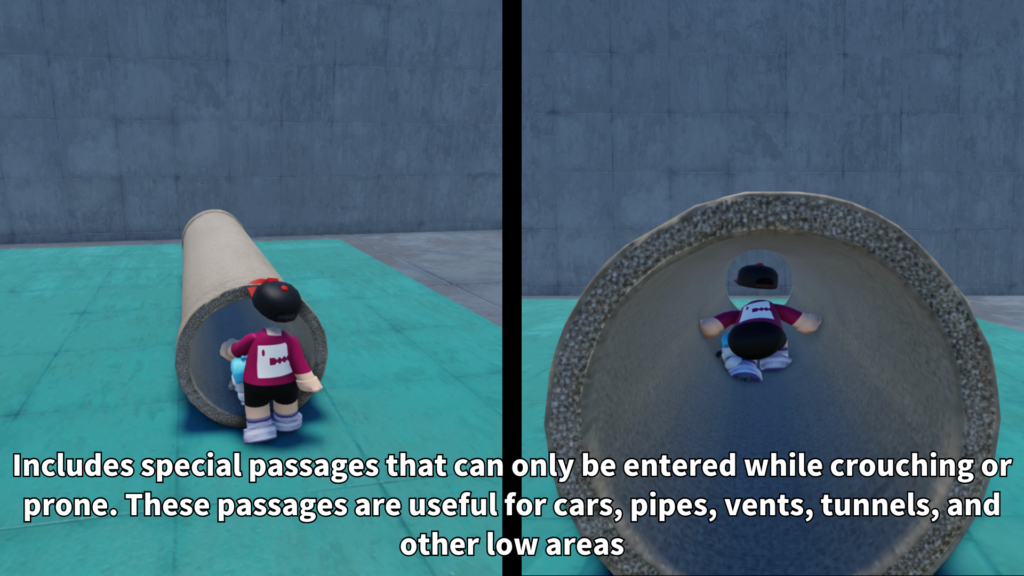
Tagged passage parts can allow crouching or prone characters while preventing standing characters from passing through.
- Crouching movement
- Fully prone crawling
- Sprint or dash movement
- Stamina drain and recovery
- Optional exhausted state
- Custom posture animations
- Custom walking and sprint sounds
- Camera height and FOV effects
- Low-posture and prone-only passages
- PC, mobile, and gamepad controls
Crouch and Prone Movement
Players can move in three main posture states: standing, crouching, and prone. Each posture can use its own movement speed, camera height, animation, and passage permissions.
- Standing
Normal movement for open areas and regular gameplay. - Crouching
Slower movement for cover, low doors, tunnels, and hidden routes. - Prone
Full crawling movement for very small spaces and prone-only passages. - Automatic speed changes
WalkSpeed changes according to the current posture and movement state.
Two Posture Input Styles
Creators can choose between two posture control styles. This makes the system easier to match with different game types and different player control preferences.
- HoldForProne
Press the posture key briefly to crouch. Hold the same key to continue into prone movement. - Cycle
Press the posture key to move through Standing → Crouching → Prone → Standing.
The default PC posture key is C. The hold time before changing from crouch to prone can also be adjusted.
Sprint, Stamina, and Exhaustion
The sprint system gives players faster movement while stamina remains. Stamina drains during active sprinting and begins recovering after the configured recovery delay.
When stamina reaches zero, the optional exhausted state can reduce the player’s speed until enough stamina has recovered.
- Maximum stamina
Set the total amount of stamina available. - Drain rate
Control how quickly stamina is used while sprinting. - Recovery rate
Control how quickly stamina returns. - Recovery delay
Add a short delay before stamina begins recovering. - Minimum sprint stamina
Require a minimum amount before a new sprint can begin. - Exhausted speed
Set a slower movement speed while the player is exhausted.
Low-Posture Passages
Stealth Motion includes a special passage system for vents, pipes, tunnels, crawl spaces, and other narrow routes. Passage parts use tags, so creators can decide which posture is required without adding a separate Script to every passage.
Collision groups are changed according to the player’s posture. A crouching player can pass through a normal low-posture blocker, while a prone-only blocker still prevents crouching characters.
- LowPostureBlocker
Blocks standing players while allowing crouching and prone players. - LowPostureZone
Prevents players from standing up while they remain inside the passage. - ProneOnlyBlocker
Allows prone characters but continues blocking crouching characters. - ProneOnlyZone
Prevents players from leaving prone posture inside the smallest passages.
Tagged passage parts can automatically receive the required collision, query, touch, and transparency settings.
Safe Posture Changes
The system checks whether the player is still inside a restricted passage before allowing them to stand up or leave prone posture. This helps prevent characters from standing inside ceilings, vents, pipes, or other narrow spaces.
Jump input can also return the player to standing posture. Creators can choose whether the jump happens immediately after the posture change is approved.
- Prevent standing inside low passages
- Require prone posture inside prone-only passages
- Jump can exit crouch or prone
- Sprint input can exit low posture
- Blocked posture changes are checked by the server
- Character collision groups return to normal after standing
Custom Posture Animations
Separate animation settings are available for crouch idle, crouch movement, prone idle, and prone movement. Creators can enter their own animation IDs and adjust the playback speed of each animation.
- Crouch Idle
Played while crouching without moving. - Crouch Move
Played while moving in crouch posture. - Prone Idle
Played while lying still. - Prone Move
Played while crawling. - Animation speed
Adjust each posture animation separately. - Fade time and priority
Control transition time and animation priority.
Custom Footstep Sounds
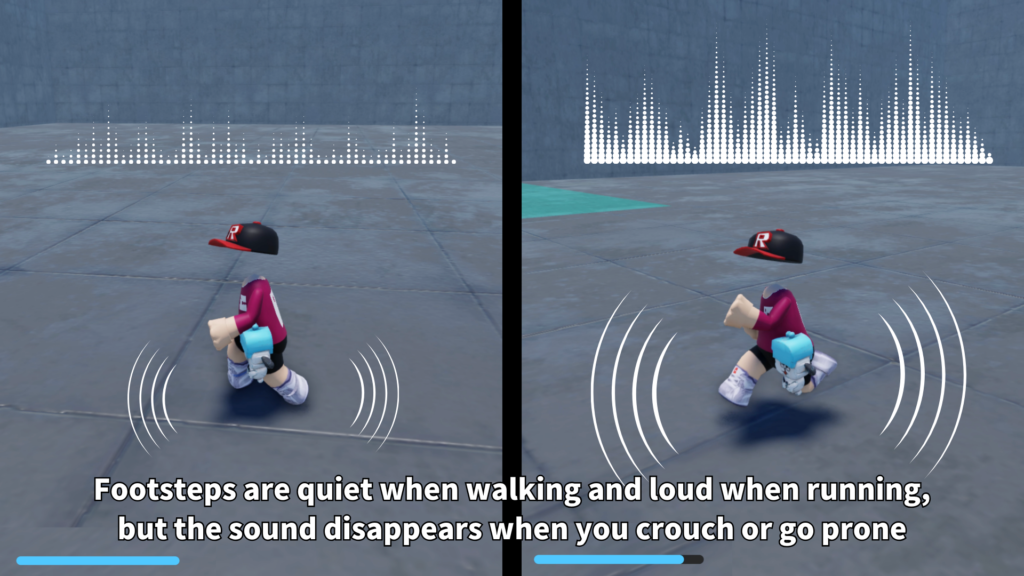
Walking and sprinting can use different custom footstep sounds. The system can mute Roblox’s normal running sound and replace it with sounds selected by the creator.
Playback speed changes according to the player’s actual movement speed, helping the sound feel more connected to walking and sprinting. Low-posture movement does not use the normal looping footstep sound.
- Separate walk and sprint sound IDs
- Separate volume settings
- Separate playback speed settings
- Speed-based playback adjustment
- Adjustable sound distance
- Optional default running sound mute
Camera Movement and FOV
The camera moves lower when the player crouches or goes prone. This helps the posture change feel visible from the player’s view instead of only changing the character animation.
Field of view can also change during sprinting, crouching, and prone movement. Camera transitions use smooth movement instead of changing instantly.
- Crouch camera offset
Moves the camera lower during crouching. - Prone camera offset
Moves the camera closer to the ground while prone. - Sprint FOV
Gives faster movement a stronger visual feeling. - Smooth transitions
Offset and FOV speeds can be adjusted separately.
PC, Mobile, and Gamepad Controls
Stealth Motion supports keyboard, touch, and gamepad input. Mobile players receive dedicated sprint and posture buttons, while gamepad controls can use configurable buttons.
- Keyboard
Adjustable sprint and posture keys. - Mobile
Dedicated DASH and posture buttons. - Gamepad
Adjustable sprint and posture controls. - Toggle or hold sprint
Mobile and gamepad sprint can use toggle-style controls. - Mobile button scale
Adjust the size of the touch buttons. - Stamina GUI
Shows the current stamina amount on supported devices.
Customizable Settings
The included setup script automatically creates the Settings folders and network objects required by the system. Most important options can be changed through Value objects without editing the main movement scripts.
- 01_Movement
Movement speeds, posture behavior, jumping, and passage settings. - 02_Stamina
Stamina amount, drain, recovery, delay, and exhaustion. - 03_Controls
PC keys, gamepad buttons, mobile behavior, and posture input mode. - 04_Animations
Crouch and prone animation IDs, speeds, fade time, and priority. - 05_Camera
Camera offsets, FOV values, and transition speeds. - 06_Footsteps
Sound IDs, volume, playback speed, and sound distance. - 07_Interface
Stamina bar, mobile buttons, visibility, and button scale.
Installation Structure
The system uses two server scripts and one LocalScript. The setup script creates the ReplicatedStorage folders, Settings values, and RemoteEvents automatically.
- ServerScriptService
Place TacticalMovementSetup.server.lua and TacticalMovementServer.server.lua here. - StarterPlayerScripts
Place TacticalMovementClient.client.lua here. - ReplicatedStorage
TacticalMovementSystem, Settings, and Remotes are created automatically. - Passage Parts
Add the correct CollectionService tags to low-posture passage parts.
R15 Character Support
Stealth Motion is designed for R15 characters. The posture animation system, camera behavior, and low-posture movement should be tested with the character setup used by the final game.
Add your own crouch and prone animation IDs to the Settings folders. Animation ownership and permissions must match the experience where the system is used.
Best Use Cases
Stealth Motion is a good fit for Roblox games where movement, hidden routes, and environmental navigation are important.
- Stealth games
- Military games
- Survival games
- Horror experiences
- Escape games
- Adventure maps
- Roleplay games
- Spy missions
- Vent and tunnel exploration
- Hidden route gameplay
Why Creators May Like It
Stealth Motion makes movement more useful than simple walking and running. Players can choose a posture, manage stamina, move through restricted routes, and use the map in different ways.
The system can be used as a complete tactical movement package or adjusted to use only the features needed by the game. Movement speeds, controls, animations, sounds, camera effects, passages, stamina, and mobile UI can all be customized.
Add tactical movement to your Roblox game.
Stealth Motion – Crouch & Prone System is available on the Roblox Creator Store. Use it to add crouching, prone crawling, sprinting, stamina, custom footsteps, camera effects, mobile controls, and posture-based passages to your experience.
Open Stealth Motion on Creator Store →